 by
by After your patient has completed the test or training, you may want to assign him or her another cognitive intervention.
This is different from changing an existing intervention or choosing an intervention for a new patient. Read this article for a step-by-step tutorial.
1. Via the “Patients” tab
1.1 Go to patients page
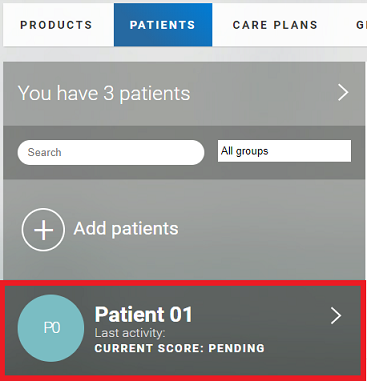
Log in to your CogniFit account and click on the “Patients” tab at the top of the screen.

1.2 Select the patient you want to assign an intervention to
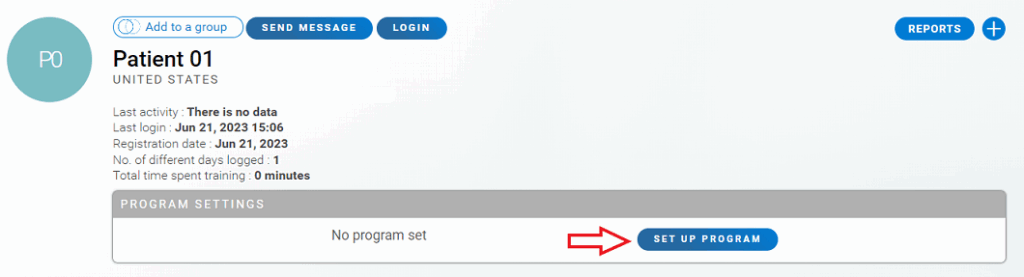
1.3 Go to the patient’s profile and click on the ” Set up program” button
1.4 Assign a training or evaluation
To assign an intervention and send it to the patient, follow the steps in sections 4-6.1 of this article.
2. Via the “Care plans” tab
2.1 Access directly to the page to add an intervention
Log in to your CogniFit account and click on the “Care plans” tab at the top of the screen.

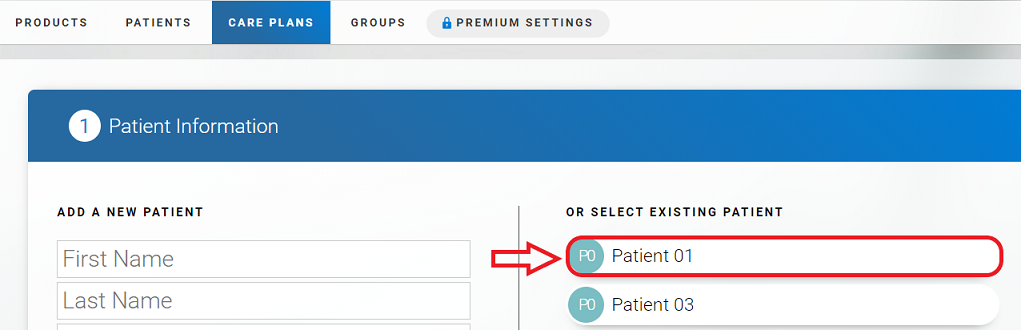
2.2 Selecting a user from a list of previously added patients
On the page that opens, select a patient from the list and click on their name.
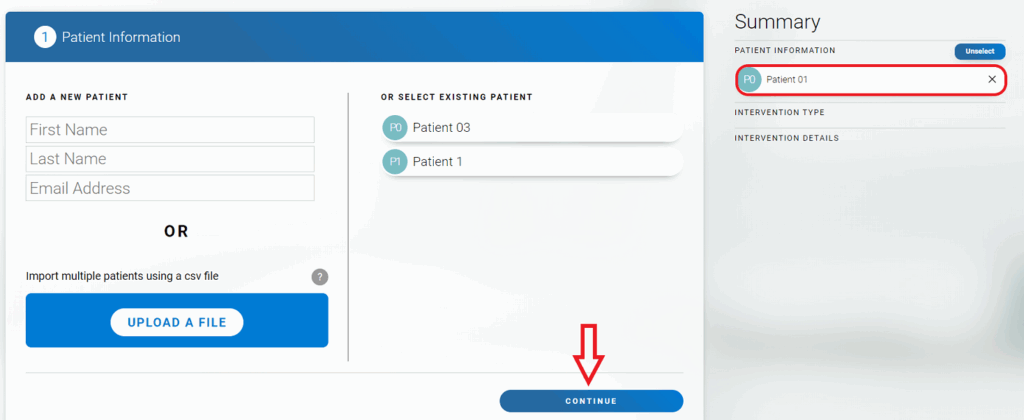
The name of the selected patient will appear on the right. Click the “Continue” button at the bottom of the page.
2.3 Assign a training or evaluation
To assign an intervention and send it to the patient, follow the steps in sections 4-6.1 of this article.
If you have any questions you can contact our support team by sending an email to support@cognifit.com