 by
by Dividing your patients into groups can be useful to facilitate organization and monitoring. In this article you can read what groups are for and how to create a group in a professional platform.
As a professional, you can add a user to a group in just a few steps:
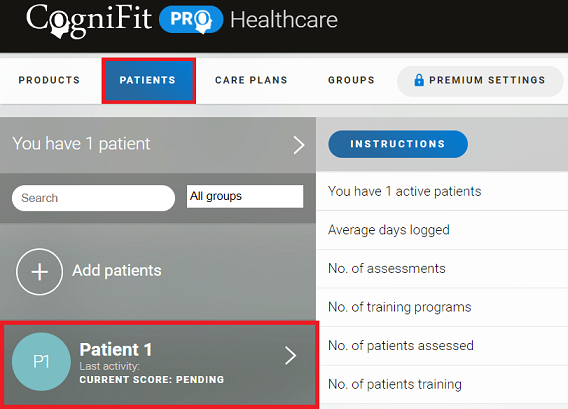
1. Choose the patient you want to add to the group.
Log in to your CogniFit professional account, select the “Patients” tab and choose the patient you wish to add to the group.
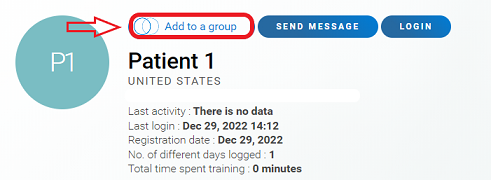
2. On the patient profile page that opens, click on the “Add to a group” option.
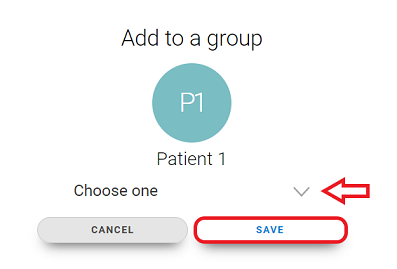
3. Click on the drop-down menu arrow, select the desired group (or create a new one) and then click on “Save”.
If you have any questions, you can contact our support team by sending an email to support@cognifit.com.