 by
by From the account settings, you can edit your profile information, change your password, activate dark or light mode, log out and more.
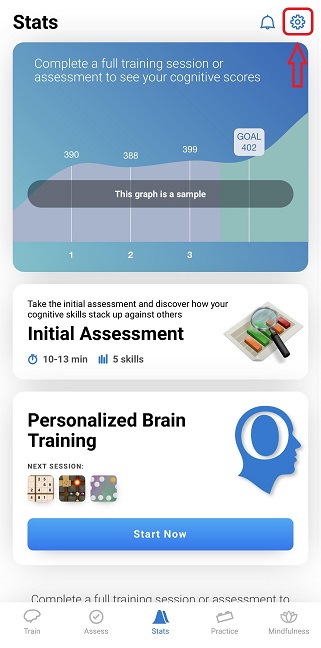
1. Launch the app and log into your account. Click on the account settings icon at the top right of the screen.
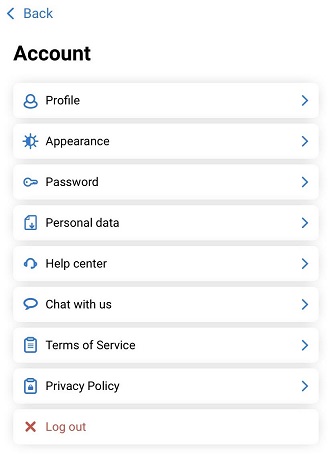
2. From the account menu, you will be able to access and manage your profile information, change your password, activate dark or light mode , access the help center, view the Terms of Service and the Privacy Policy, or log out of the application.
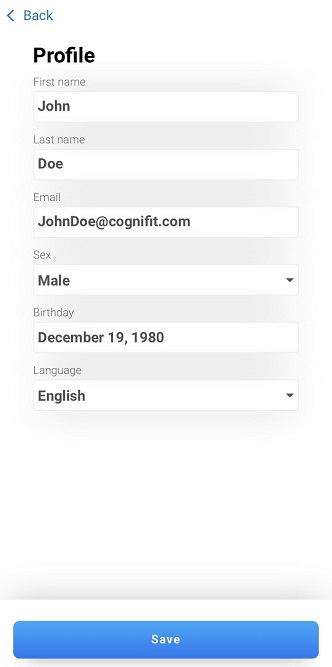
3. Tapping on any of the menu items will allow you to see additional information and adjust available settings. For example, if you select the Profile option, you will see a screen with settings related to your user profile. Read more about how to change profile information in this article.
If you have any questions, you can contact our support team by sending an email to support@cognifit.com