 by
by CogniFit has a variety of different training programs to help you get the most out of your cognitive performance.
Sign up for CogniFit, choose a desired training, a subscription plan that interests you and subscribe.
Congratulations, you can start training now! This article will guide you through the process.
1. If you are using a computer
Note: If you want to train with a video coach, click “Try it now” on the homepage of your account as soon as you sign up.
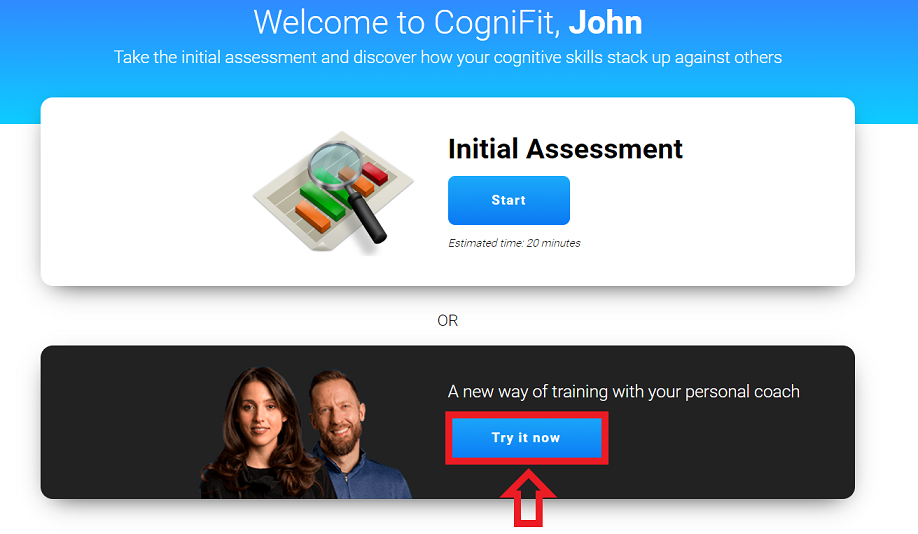
You can read more about how to train with a video coach here.
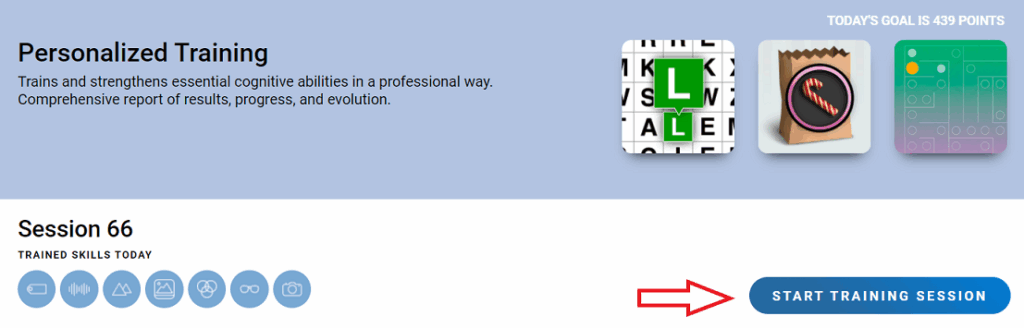
1.1. Log in to your CogniFit account. You can start training on the home page of your account. Click on the “Start training session” button.
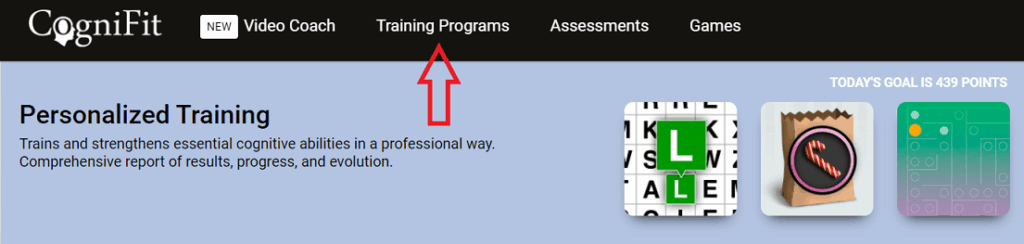
1.2 You can also start your training from the training page. Click on the Training Programs menu option at the top of the screen.
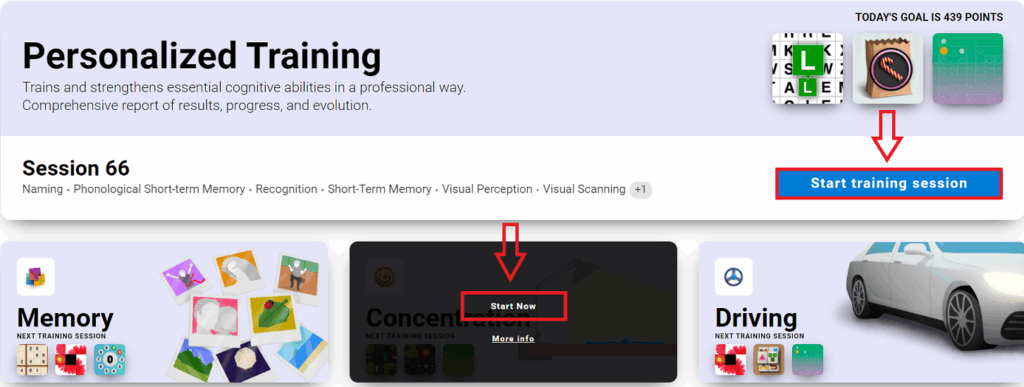
1.3 On the page that opens, click on the “Start training session” button. If you have a premium subscription and want to start a different type of training, select the training you are interested in, hover your mouse over it and click “Start now“.
2. If you use a mobile device
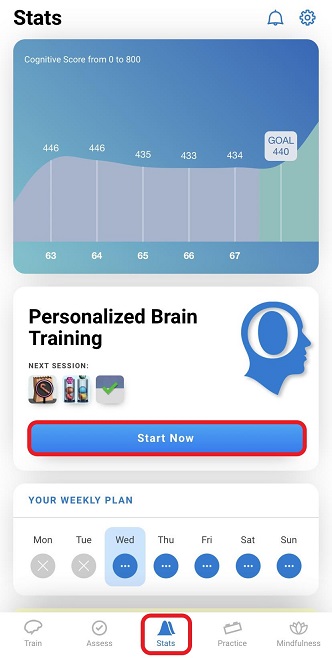
2.1. Log in to your account in the CogniFit mobile app. You can start your personalized training from the Stats menu option at the bottom of the screen. Click on “Start now“.
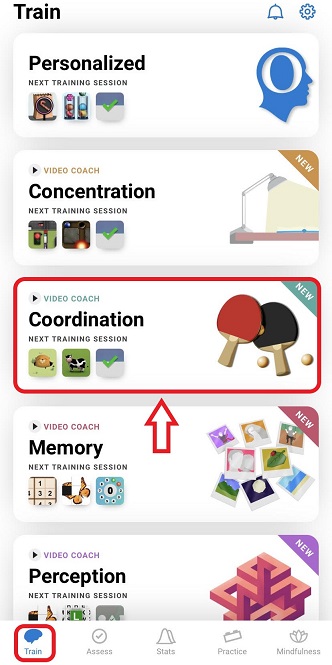
2.2 If you want to start another training, choose the menu option Train at the bottom of the screen and click on the desired training.
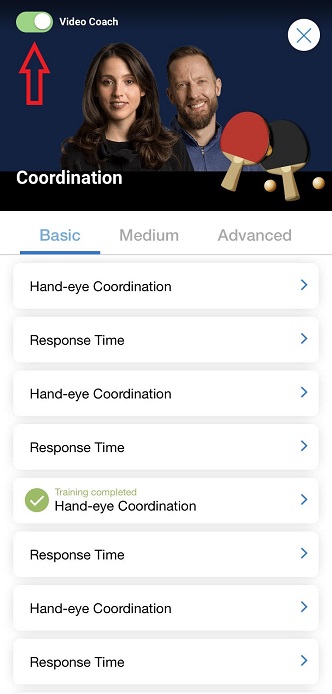
Note: By default, you will be offered a training session with a video coach. Read more about how to train with video coaching here. If you prefer, you can deactivate this option by clicking on the slider in the upper left corner of the screen.
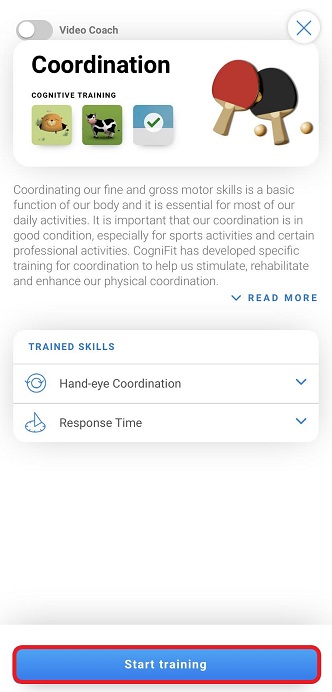
2.3 On the page that opens, click on the “Start training” button.
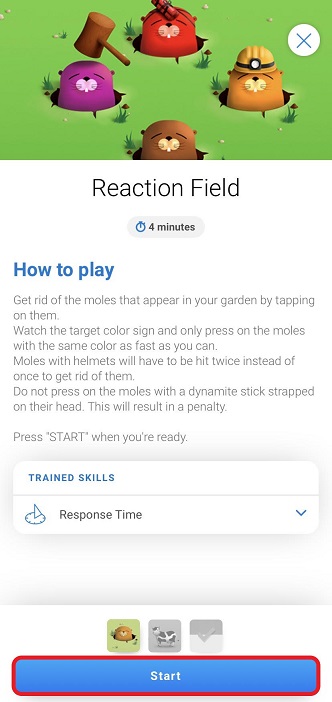
2.4 The first training task opens. Press the “Start” button to start.
If you have any questions, you can contact our support team by sending an email to support@cognifit.com.