 by
by Please note that during assessment tasks the sound icon has been disabled.
Here are the simple steps to follow to turn the sound on or off:
1. If you are using a computer
While the training activity is open the sound icon will be in the menu bar of the game and will allow you to mute or unmute the sounds.
1.1 Press the sound icon to adjust the sound settings
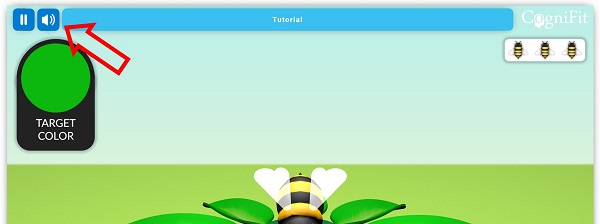
1.2 If you press the icon one time, the music will be muted, but the game sounds will remain.
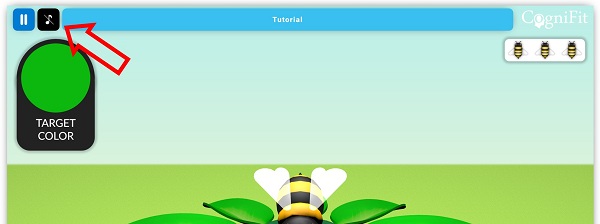
1.3 If you press the icon a second time, both the music and the game sounds will be muted.
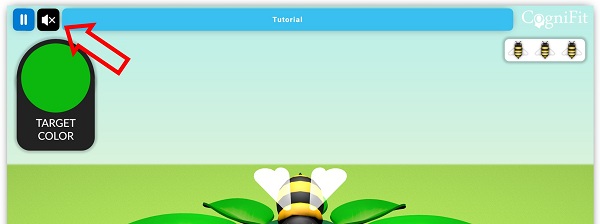
2. If you are using a mobile device
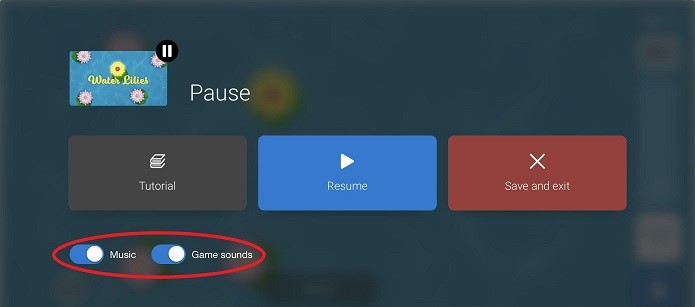
While the training activity is open, simply clicking on the pause icon in the lower right corner of the screen will open a new menu.
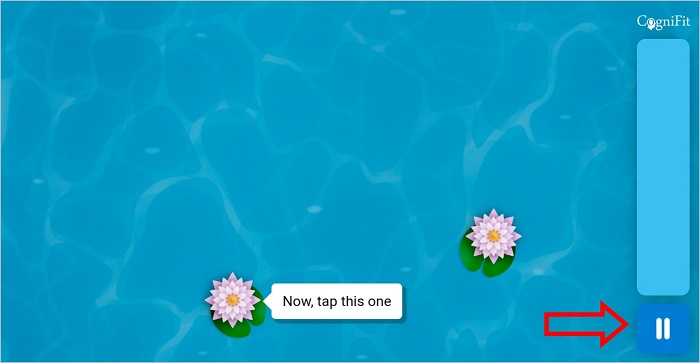
In this menu, you will see two sliders that allow you to turn on or off the music or game sounds. To mute these sounds, simply tap on the slider to switch it to the ‘off’ position. When the slider is green, the sound is on. When the slider is grey, the sound is muted.
Please note that during assessment tasks the sound icon has been disabled.
If you still cannot hear sound, make sure that your audio system is turned on or enabled, and finally check that the mute option is not enabled.
If you have any questions, you can contact our support team by sending an email to support@cognifit.com.